Run your operations · DashRocks OfficeR
Available nowRun the office, not the paperwork.
Attendance, leave, field work, catalogue and service jobs, in one suite with a kiosk and a phone app.

Reception kiosk
Good morning, Ana
Today’s timesheet
- In08:02
Try it: tap the button.
What it does
DashRocks OfficeR runs the day-to-day of a company with people on site, on the road and in the workshop. Managers and HR work in the web admin, employees check in at a reception kiosk or from the OfficeR app, and each company switches on only the modules it needs.
- Seven modules: TimeSheet, Travel, Products, Clients, Service, Campaigns, Social.
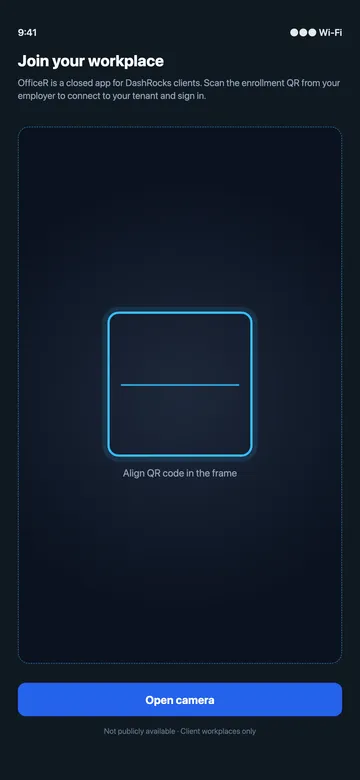
- The OfficeR app for employees: free, client-only, enrolment by QR code from the employer, no password.
- A separate database for every client company, optional two-factor login, roles and permissions per module.
- Available in Romanian, English, Hungarian and German.
Seven modules. Switch on what you need.
Every company starts with the modules it needs and adds the rest later, on the same accounts and the same data.
OfficeR TimeSheet
Attendance that keeps itself: kiosk and phone check-in, leave, delegations and the monthly attendance register.
Available nowOfficeR Travel
Journey sheets and travel orders written from the trips themselves, with kilometres, fuel and a month-end pack.
Available nowOfficeR Products
One catalogue for every place you sell, imported from your ERP and cleaned up with AI.
Available nowOfficeR Clients
One customer directory shared by orders, campaigns and service.
Available nowOfficeR Service
Repair jobs from intake to signed handover, logged from the phone.
Available nowOfficeR Campaigns
Email and SMS campaigns to the right clients, with links to your catalogue and tracked results.
Available nowOfficeR Social
Write, schedule and publish Facebook, Instagram and TikTok posts, with AI captions.
Early accessSee it running
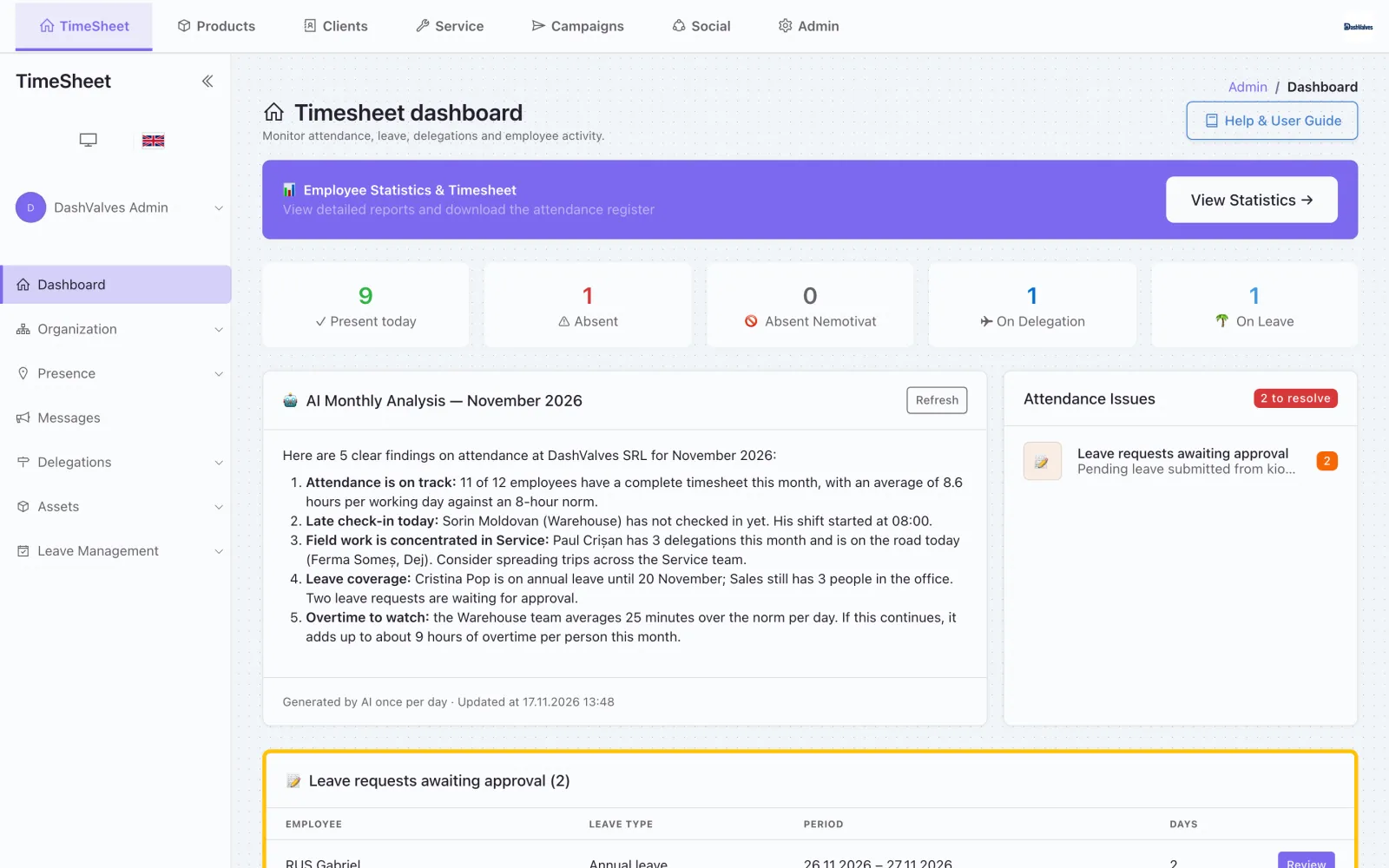
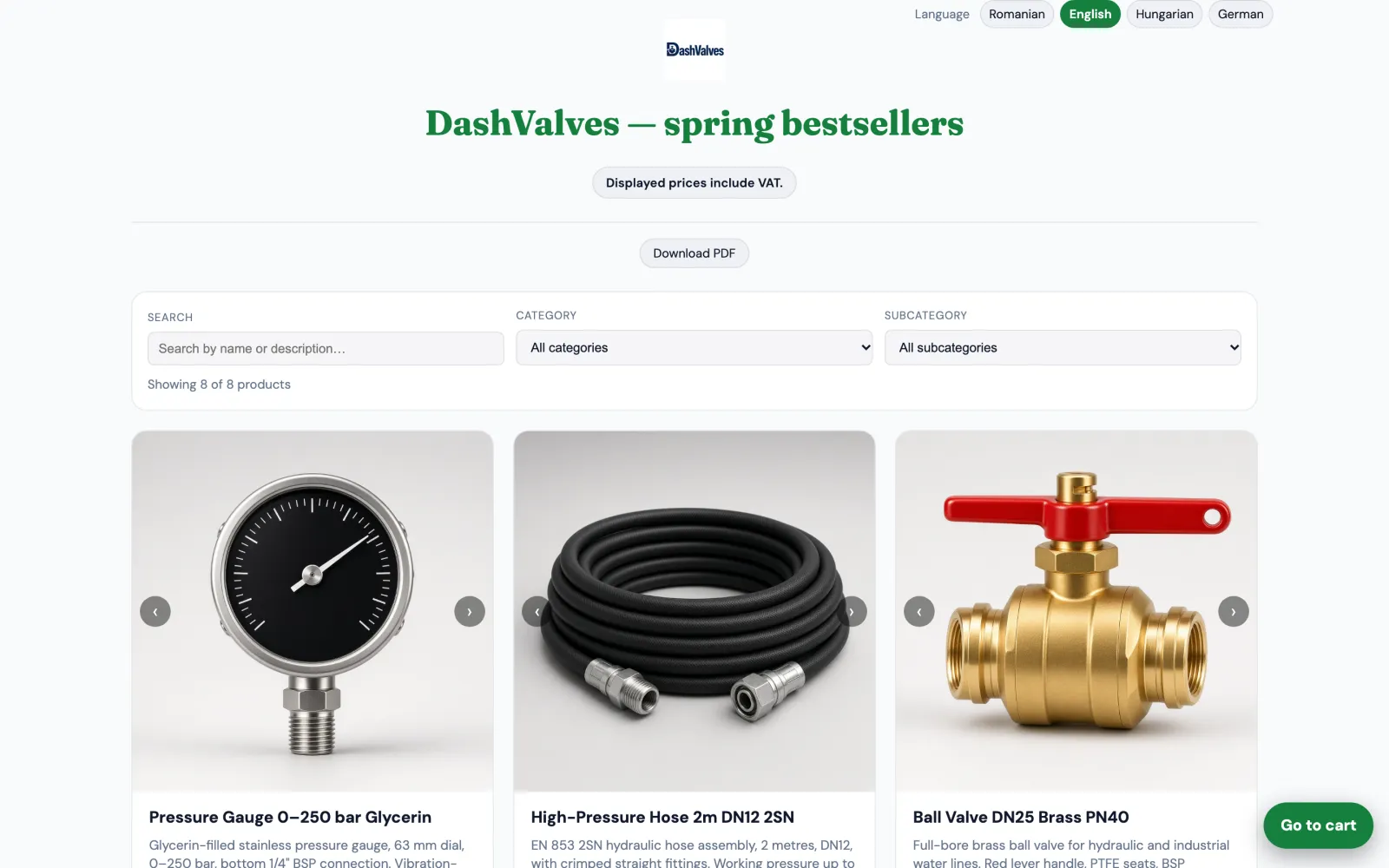
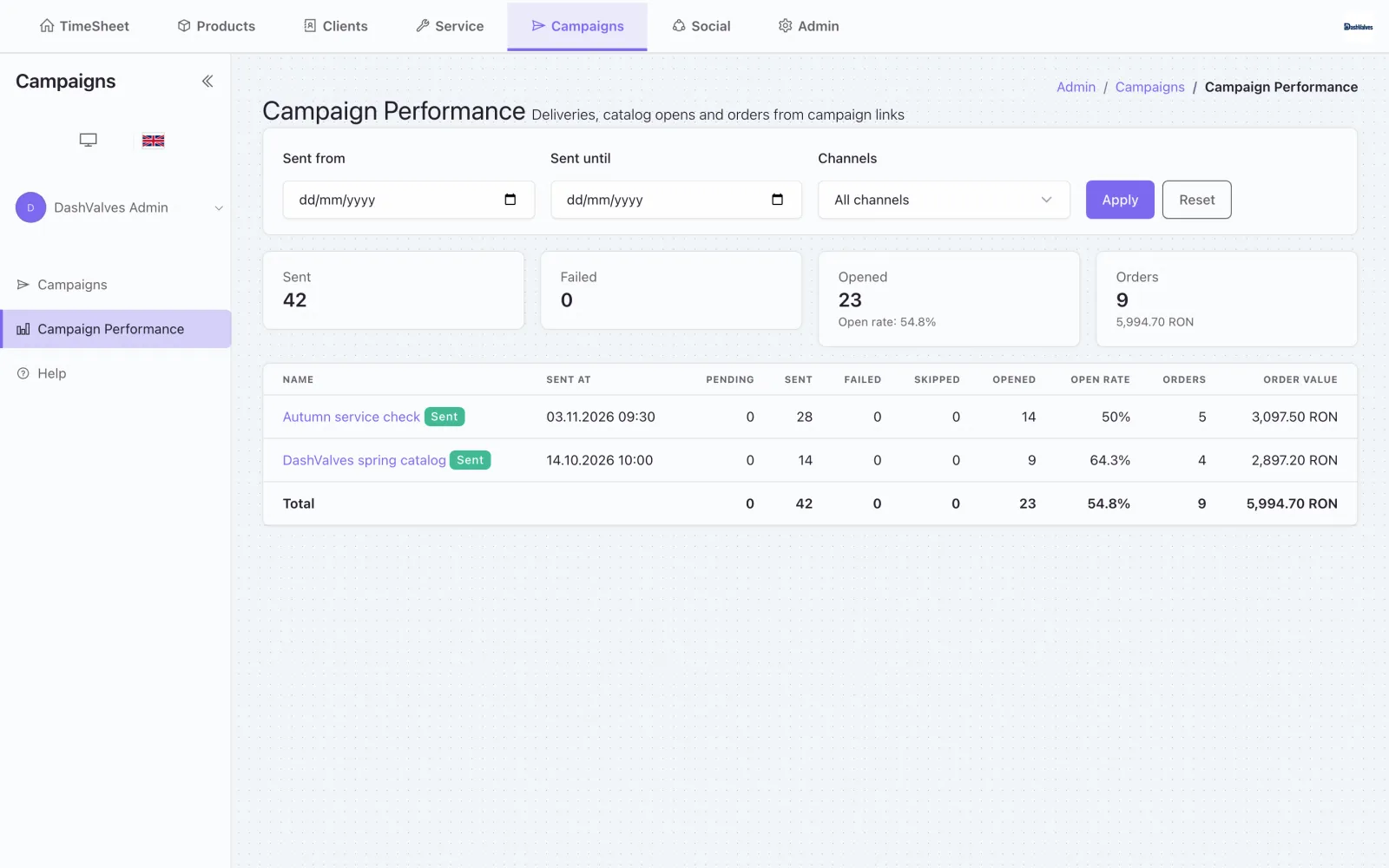
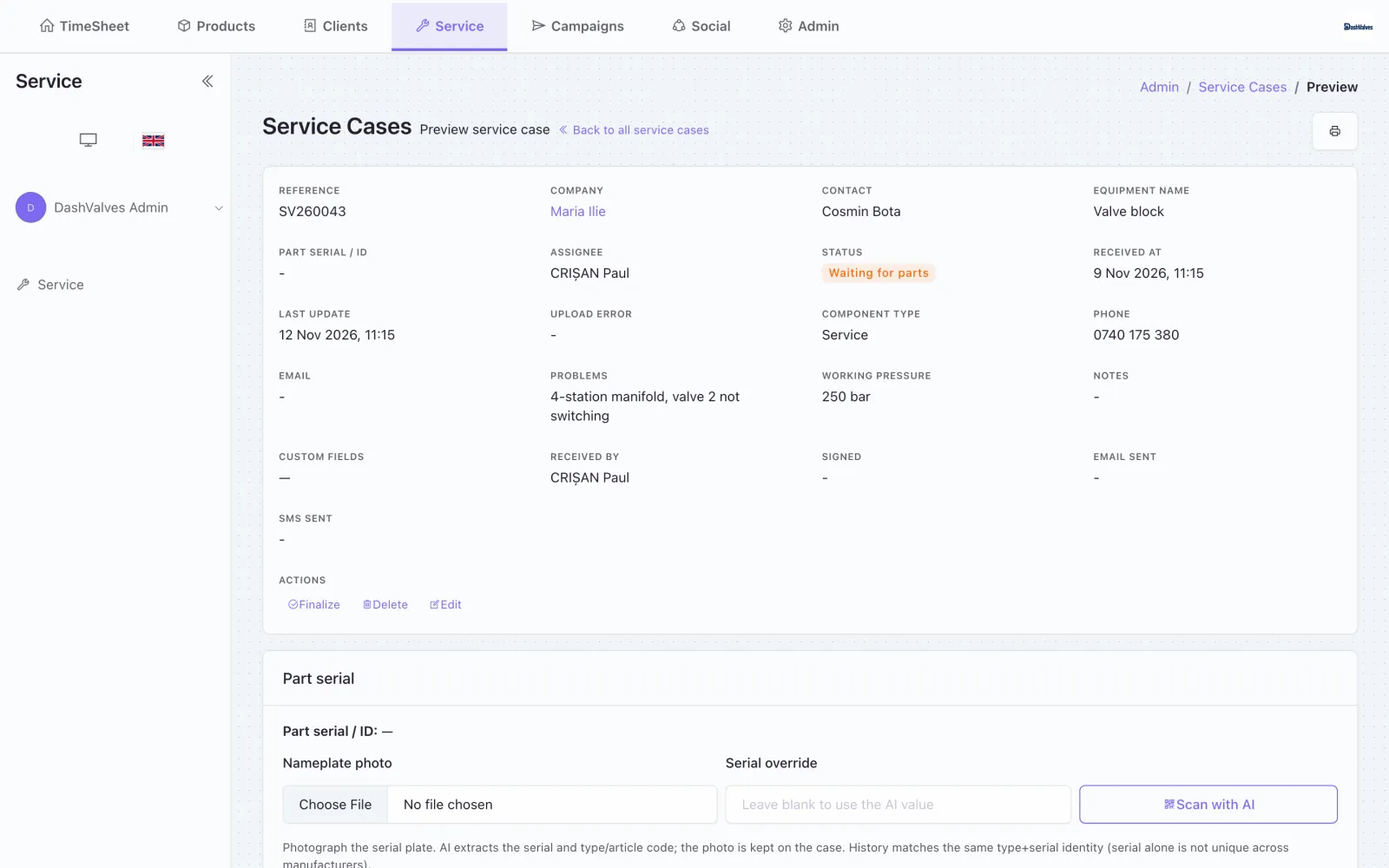
Recorded on our demo company, DashValves SRL: twelve employees, a parts catalogue and a service desk. Same screens your team gets.
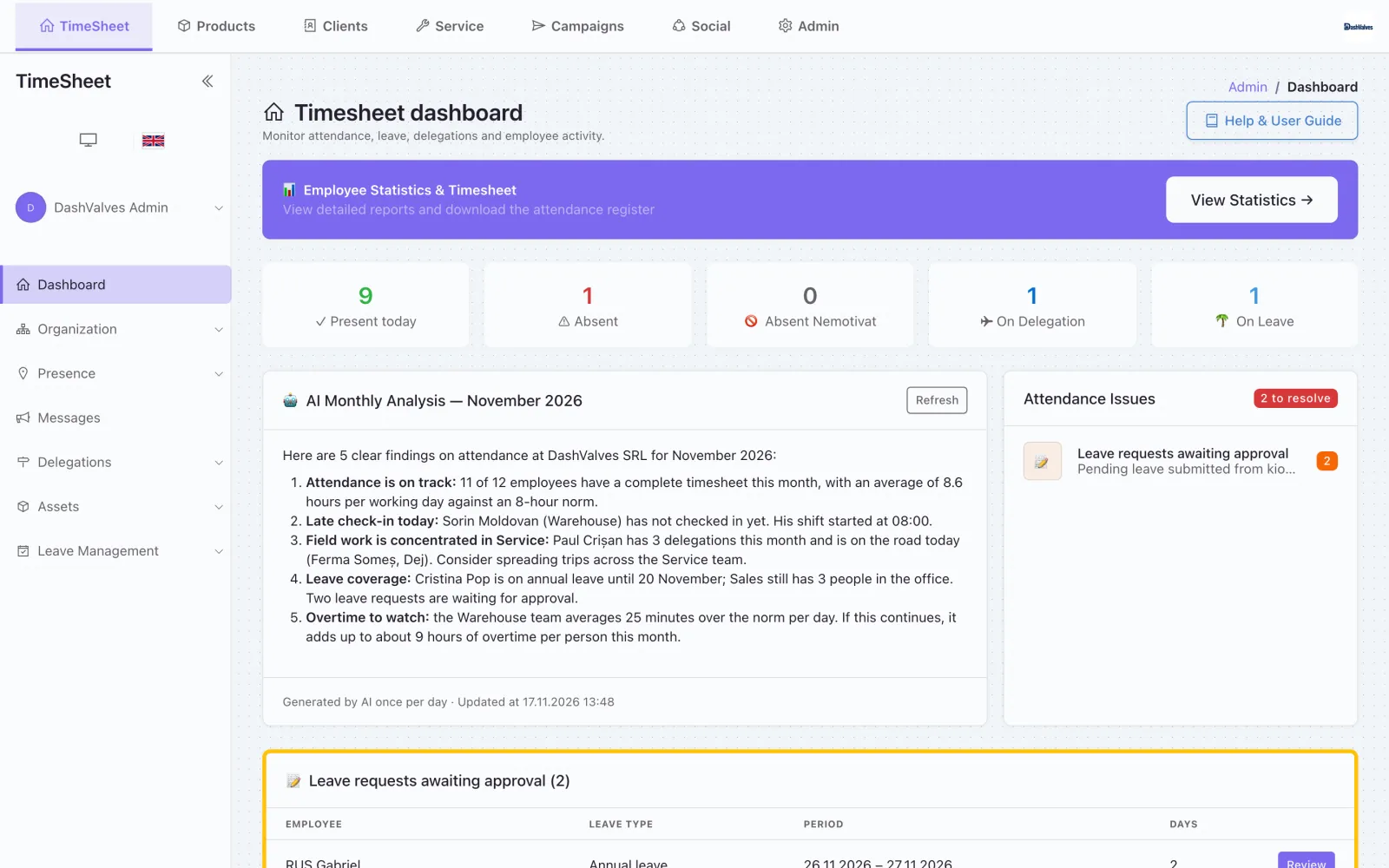
Who is in, on leave or on the road, with a daily AI summary of what needs attention. 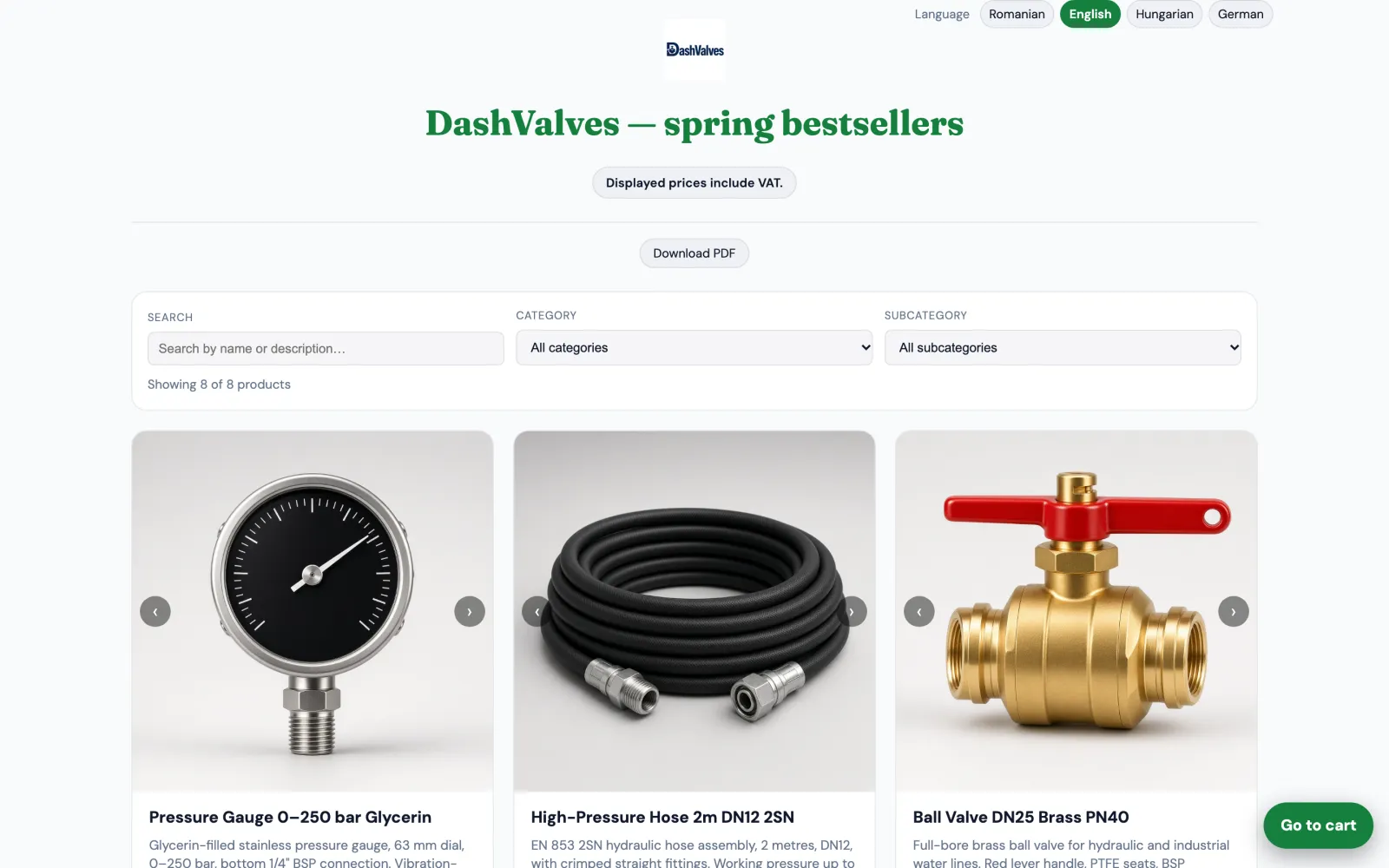
A shareable catalogue in four languages. Customers browse, add to cart and send the order. 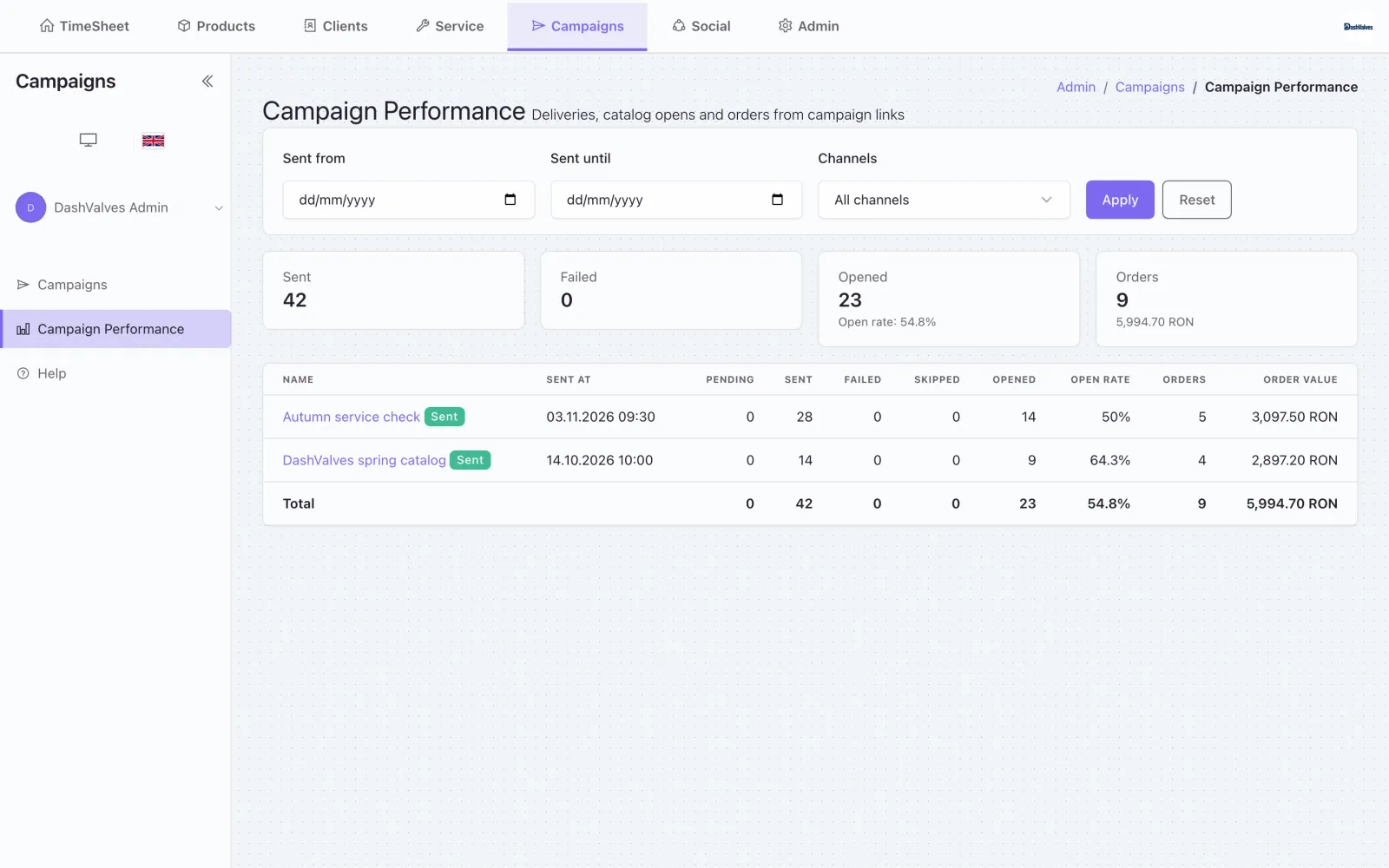
Sent, opened and ordered: each campaign tied to the revenue it brought in. 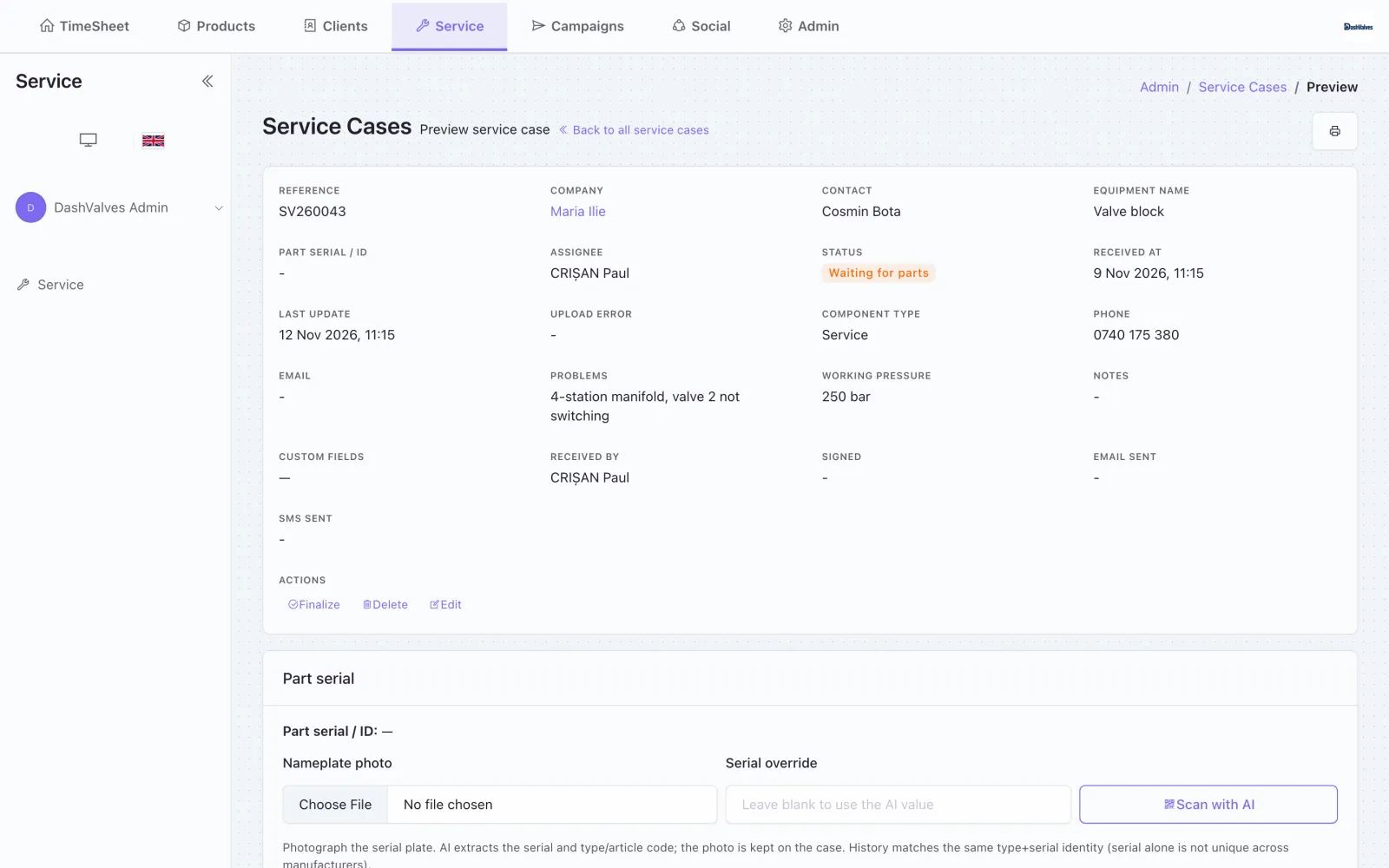
Status, problem, working pressure and the part serial, read from a nameplate photo by AI.
Where it runs
Web admin
Managers and HR approve leave, see who is in, edit products and clients, and export the monthly reports.
Reception kiosk
A tablet at the entrance. Employees check in and out with their employee code; no phone needed.
The OfficeR app
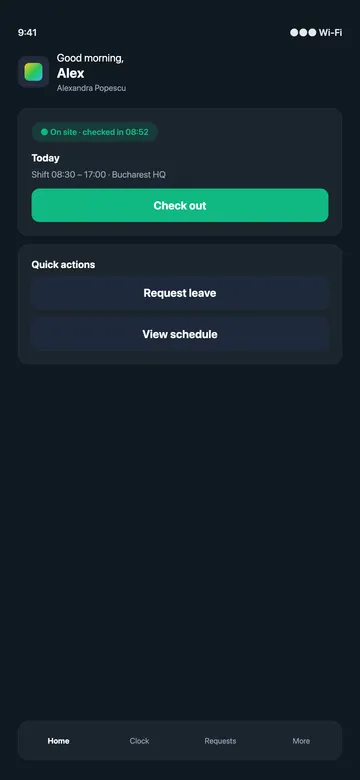
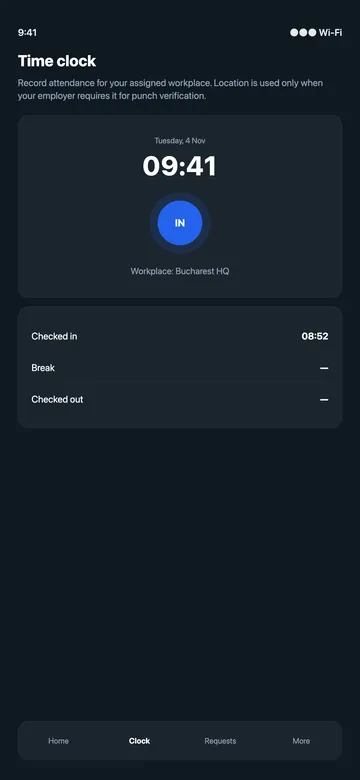
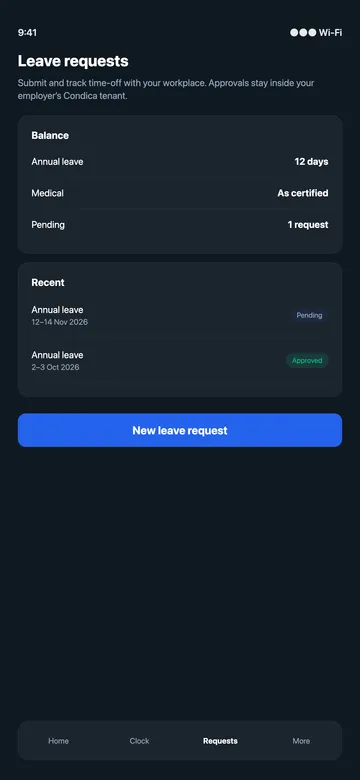
On iOS and Android: check in, request leave, start a delegation, attach fuel receipts and register service jobs.
The OfficeR app: no passwords, no public sign-up
The app is free and only for employees of companies that use OfficeR.
- 1The employee installs the OfficeR app.
- 2They scan the enrolment QR code from their manager.
- 3The phone becomes their personal check-in device. Optional geofence checks them in on arrival.
Security and deployment
- A separate database for every client company
- Optional two-factor login for administrators
- Roles and permissions per module
- One approved phone per employee
- Languages: Romanian, English, Hungarian, German
Who uses it
- Operations and HR managers
- Employees on site, on the road and in the workshop
Where it runs
- Web app
- Reception kiosk
- The OfficeR app (iOS and Android)
Works with
- WinMentor
- Google Merchant Center
- MerchantPro
- BazarOnline
- Google Drive
- BunnyCDN
- Google Maps
- SMS
- Gemini
Frequently asked questions
What is DashRocks OfficeR?
DashRocks OfficeR runs the day-to-day of a company with people on site, on the road and in the workshop. Managers and HR work in the web admin, employees check in at a reception kiosk or from the OfficeR app, and each company switches on only the modules it needs.
Is DashRocks OfficeR available now?
Yes. DashRocks OfficeR is available now. Book a call and we will show it working on your own data.
Where does DashRocks OfficeR run?
Web app, Reception kiosk and The OfficeR app (iOS and Android).
Who is DashRocks OfficeR for?
Operations and HR managers; Employees on site, on the road and in the workshop.
What does DashRocks OfficeR integrate with?
WinMentor, Google Merchant Center, MerchantPro, BazarOnline, Google Drive, BunnyCDN, Google Maps, WhatsApp, SMS, Email and Gemini.
Got a problem that should not exist anymore?
30 minutes, no slides. Bring the problem, leave with a plan.